


USA Geography - Quiz Game
4.6602.00 Reviews
App Specs
- Version
- 1.0.43
- Updated On
- License
- Free
- Downloads
- 500,000+
- Developer
- Atom Games Ent.
- Categories
- Trivia
- Platform
- Android
Screenshots
 Analysis by AppCompare
For a shared household device, a geography quiz can work better as a short turn-taking activity than as a game everyone tries to play at once. I’d use it to spark a quick challenge at the kitchen table: one person answers, another tries to predict the answer, and then you compare what each of you remembers. That suits a trivia game about the United States, where familiarity can vary a lot from state to state.
Good for short, shared rounds
USA Geography - Quiz Game is a trivia game from Atom Games Ent. that focuses on learning and recalling details about the United States. Its subject makes it useful for more than solo play: a parent and child can take turns, siblings can test each other, or a visiting relative can join in without needing to learn a complicated set of controls. I’d keep the challenge friendly rather than treating a score as a measure of who knows more.
A realistic moment for it is a quiet stretch before dinner. Someone opens a quiz, answers a few questions, and the others try to name the answer before it appears. That can turn a spare few minutes into a small conversation about places people have visited or heard about. It also works as a brief warm-up before a road trip, though I’d play while parked rather than letting a quiz distract a driver.
Keep turns and expectations simple
On a shared phone or tablet, I’d agree on whose turn it is before starting. That small boundary matters because a game session may feel different to a child than to an adult who only wants a quick practice round. I would also avoid assuming that separate players automatically get separate progress or personal records; a shared device can blur whose activity is being viewed. If individual histories matter to your household, check how the app behaves on your own device before making it the basis of a family competition.
There is another practical trade-off with shared use: a timed quiz can make passing the device around awkward. One player may prefer to finish a round without interruption, while others want to answer together. For a relaxed group session, I’d take turns between rounds instead of handing over the phone mid-quiz. If the group is large, calling out guesses from beside the player is an easy way to include everyone without crowding the screen.
Age, learning, and trust
The game is rated Everyone, which makes it broadly suitable for a household audience, but that label does not tell me whether every child will find the questions easy or entertaining. A younger player may need help with unfamiliar place names, while an older student might use it to revisit facts already covered in class. I’d treat missed answers as prompts for discussion, not as a reason to turn a casual game into a test.
The game is free to download and includes in-app purchases priced from $1.99 to $44.99 per item. That is worth discussing before handing a shared device to a child: make sure the person responsible for the device understands that purchases are part of the app’s setup, and use the device’s own purchase safeguards if needed. I wouldn’t assume that a family mode or a particular purchase-control feature is included in the game.
Worth Reading Before You Choose

EA SPORTS FC Mobile 26 Is a Bigger Football Game, but It Takes Time

Flipboard Shows What News Apps Must Do Beyond the Feed

Switching to Android Auto Means Rethinking Your Driving Routine

Google Calendar Makes a Crowded Week Easier to Manage

Ludo King Makes the Most of the Minutes Between Plans

Baby Panda World Brings Quick Play to Modern Phones, but Its Game Library Feels Busy
Who will get the most from it?
I’d recommend it to curious players who enjoy learning place-based facts, families looking for a low-pressure conversation starter, and students who want extra practice beyond a textbook. It is less suited to someone seeking a broad general-knowledge quiz, a detailed atlas for planning travel, or a multiplayer party game built around group controls. If your main goal is to explore maps freely rather than answer questions, a dedicated map app or atlas will be a better fit.
Compared with a paper quiz or flashcards, an app is easier to pick up for a quick session and can make practice feel more like play. Compared with open-ended map browsing, though, a quiz narrows the activity to the questions it presents; it won’t replace looking at a map when you want to understand where places sit in relation to one another. I find that distinction useful: play for recall, then bring out a map when a question leads to a bigger discussion.
There is also a choice between using this as a solo brain break and sharing it as a household activity. Solo play lets you move at your own pace and focus on personal gaps. Group play adds conversation, but it can make timed rounds less comfortable and can reveal answers to everyone at once. I’d choose the format based on the people in the room rather than trying to make every session competitive.
Hey there, fellow app enthusiasts! So, I recently stumbled upon this little gem called USA Geography - Quiz Game, and I’ve been diving headfirst into it. If you’re like me and love testing your knowledge while having a bit of fun, you might want to stick around for this one.
What's the Buzz About?
Okay, let’s get into it. USA Geography - Quiz Game isn’t just another quiz app. It’s like having a pocket-sized geography teacher that’s way cooler than the one you had in school. The app is designed to challenge your knowledge on all things USA — from states and capitals to rivers and national parks.
When you first open the app, you’re greeted with a clean, user-friendly interface. Trust me, you don’t need a degree in rocket science to navigate this one. It’s pretty intuitive, with categories neatly laid out for you to choose from.
Gameplay and Features
The game offers multiple choice questions across different difficulty levels. Whether you’re a geography newbie or a seasoned pro, there’s something for everyone. I started off thinking I was a genius (spoiler alert: I was wrong), but the app quickly put me in my place with some tricky questions.
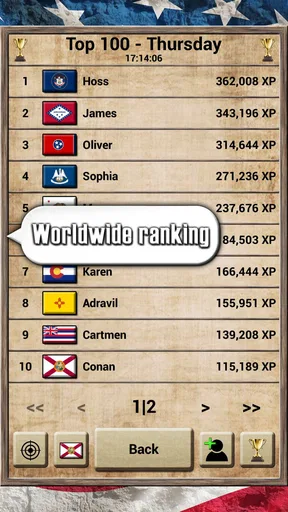
One of the standout features is the timed quizzes. They add a sense of urgency and excitement, making you feel like you’re on a game show. Plus, there’s a leaderboard to keep things competitive. If you’re anything like me, you’ll be checking it religiously to see how you stack up against other players.
Learning While Playing
Here’s where USA Geography - Quiz Game really shines. It’s not just about answering questions; it’s about learning in the process. Each question comes with an explanation once you answer, which is super helpful. I found myself learning new facts with each session, which I wasn’t expecting from a game.
The app also rewards you with little badges as you progress. I know, I know, it sounds cheesy, but those badges are surprisingly motivating. They’re like little pats on the back for being awesome.
Design and Usability
Let’s talk about the design for a sec. The graphics are simple, but in a good way. There’s no clutter, and everything is where it should be. You’ve got bright colors, clear fonts, and, most importantly, no annoying ads popping up every five seconds. Hallelujah!
As for usability, the app runs smoothly without any hiccups, at least on my phone. The developers definitely did a solid job in making sure the app is responsive and bug-free. It’s available on both Android and iOS, so no one’s left out.
My Final Thoughts
All in all, USA Geography - Quiz Game is a fun, educational dive into the world of American geography. It’s perfect for those long commutes or even as a quick brain workout during your lunch break. It’s engaging, informative, and above all, fun.
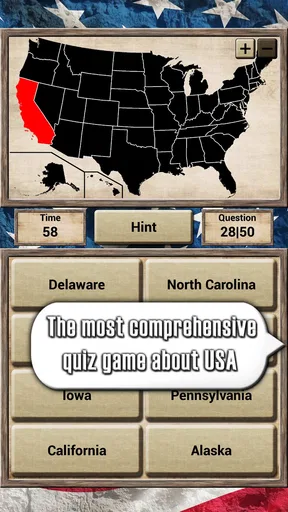
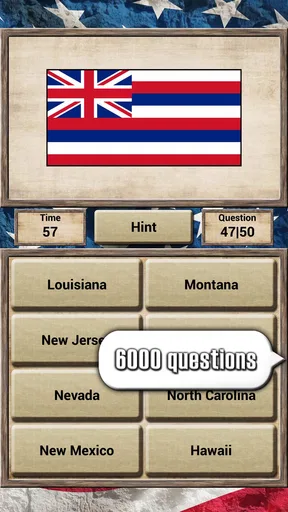
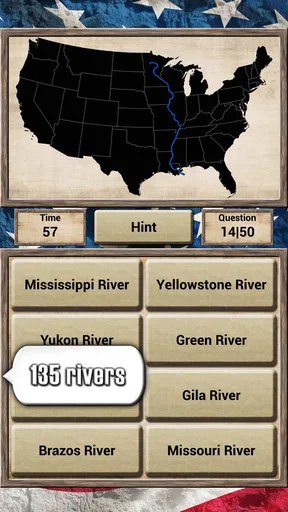
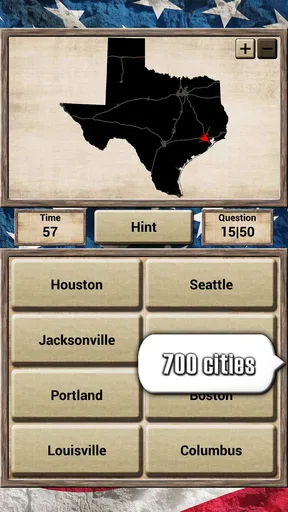
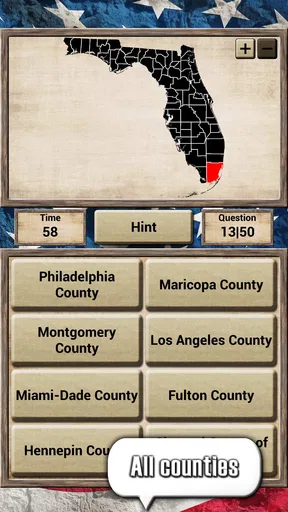
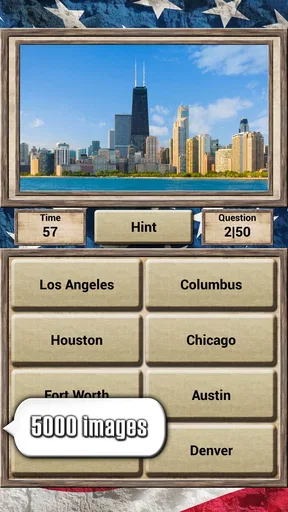
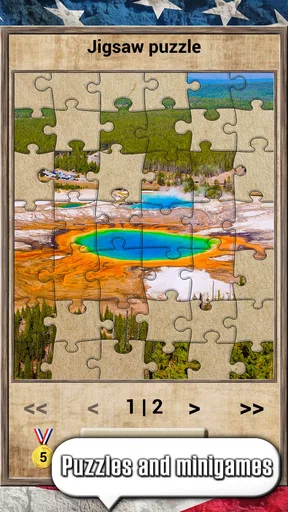
In practical terms, I’d treat it as a focused refresher rather than a complete geography course. The subject spans maps, flags, seals, capital cities, rivers, lakes, and counties, so there is a useful mix of visual recognition and fact recall. One effective way to play is to notice which kind of question catches you out, then pause after the explanation and try to describe the answer in your own words. That turns a quick response into something more memorable.
The explanations are especially useful when a question exposes a gap rather than simply confirming something you already know. I’d resist rushing straight into another round after every answer. Taking a moment to connect a place to a state, a river to its region, or a flag to the place it represents gives the quiz more learning value. It is a small habit, but it makes the game feel less like tapping through questions and more like active practice.
For a student, it can serve as a change of pace after reading or studying, not a replacement for class materials. For an adult who has not thought about U.S. geography in years, it offers a low-pressure way to find out what remains familiar. And for someone who enjoys trivia, the timed format adds a sharper challenge. I would not choose the timer when the goal is careful learning, though; a slower session gives more room to absorb explanations.
The usual alternatives each serve a different purpose. Flashcards are better when you want to drill a chosen set of facts in a deliberate order, while a paper atlas or map is better for seeing spatial relationships. General trivia games may offer more variety, but they usually spread attention across many topics. This game’s narrower focus is its advantage if U.S. geography is exactly what you want to practise, and its limitation if you are looking for broader subject matter.
The app is free, with optional in-app purchases ranging from $1.99 to $44.99 per item. I’d check the purchase prompts and device settings before letting a child use a shared phone, especially if the device is used for other paid apps. The game is rated Everyone, but age suitability is only one part of a good fit: a child’s reading confidence and interest in maps will shape how much they enjoy the questions. The developer is Atom Games Ent., and the game has a 4.6 average from around 2.7 thousand ratings, with over 100 thousand installs.
It was released on January 25, 2019, and version 1.0.43 requires Android 5.0 or later. The game is also available on iOS. If you’re choosing a device for a younger player, I’d make sure the screen is comfortable to read and that the person supervising can help when a question or explanation uses an unfamiliar term. Those practical details matter more than chasing a perfect score.
For coordination, a household can make a simple routine: one short round each, then let the next person choose the category or difficulty. That avoids one confident player dominating the device and gives less experienced players time to think. If the leaderboard makes the group more competitive than intended, ignore it and set a shared goal such as explaining one surprising answer to everyone. The game can support a friendly challenge, but the best use is the one that keeps the conversation enjoyable.
There are limits to what I’d expect from it. A quiz is strongest at prompting recall; it is not the same as a navigable reference map, a structured school curriculum, or a social game designed specifically for teams. The timed questions may also put off players who prefer to think slowly. I’d skip it if you want open-ended exploration or a broad trivia mix, and choose a map resource or general quiz instead.
So, if you’re looking to brush up on your geography skills or just want a new game to kill time, give this one a shot. You might just surprise yourself with how much you learn. Happy quizzing, folks!
Pros
- Extensive question database enhances learning.
- User-friendly interface for quick navigation.
- Engaging graphics make learning fun.
- Offline mode available for on-the-go play.
- Regular updates with new questions.
Cons
- Limited customization options for quizzes.
- Ads can interrupt gameplay frequently.
- No multiplayer mode for competitive play.
- In-app purchases required for full features.
- Some questions repeat too often.
FAQs for USA Geography - Quiz Game
What is the main objective of the USA Geography - Quiz Game?
The primary goal of the USA Geography - Quiz Game is to enhance your knowledge about the geography of the United States. Players answer questions related to states, capitals, landmarks, and other geographical features. It's both educational and entertaining, making it ideal for students and geography enthusiasts alike.
Is the USA Geography - Quiz Game suitable for all age groups?
Yes, the game is designed to be accessible to a wide range of ages. It's intuitive enough for younger players while still providing challenging questions for older users. The game can serve as a fun learning tool for kids and a challenging quiz for adults, making it perfect for family play.
Does the game require an internet connection to play?
The USA Geography - Quiz Game can be played offline, allowing users to enjoy the game without an internet connection. However, some features, such as updates or online leaderboards, may require connectivity. This makes it convenient for travel or areas with limited internet access.
Are there any in-app purchases or advertisements in the game?
The game may include in-app purchases that allow users to unlock additional content or features. Additionally, some advertisements might be present. These elements help support the development and maintenance of the app, but they are designed to be non-intrusive and do not hinder gameplay.
What platforms is the USA Geography - Quiz Game available on?
The USA Geography - Quiz Game is available on both Android and iOS platforms. This ensures compatibility with a wide range of devices, allowing more users to enjoy the game. Players can download it from the Google Play Store or the Apple App Store, depending on their device.


